Reverse DP Allocation
Reverse DP Allocation digunakan untuk membatalkan atau mengoreksi alokasi Down Payment (DP) yang sebelumnya sudah direconcile ke invoice, sehingga saldo DP dan invoice kembali sesuai sebelum dilakukan penyesuaian atau pencatatan ulang.
A. Tahapan melakukan Reverse DP allocation
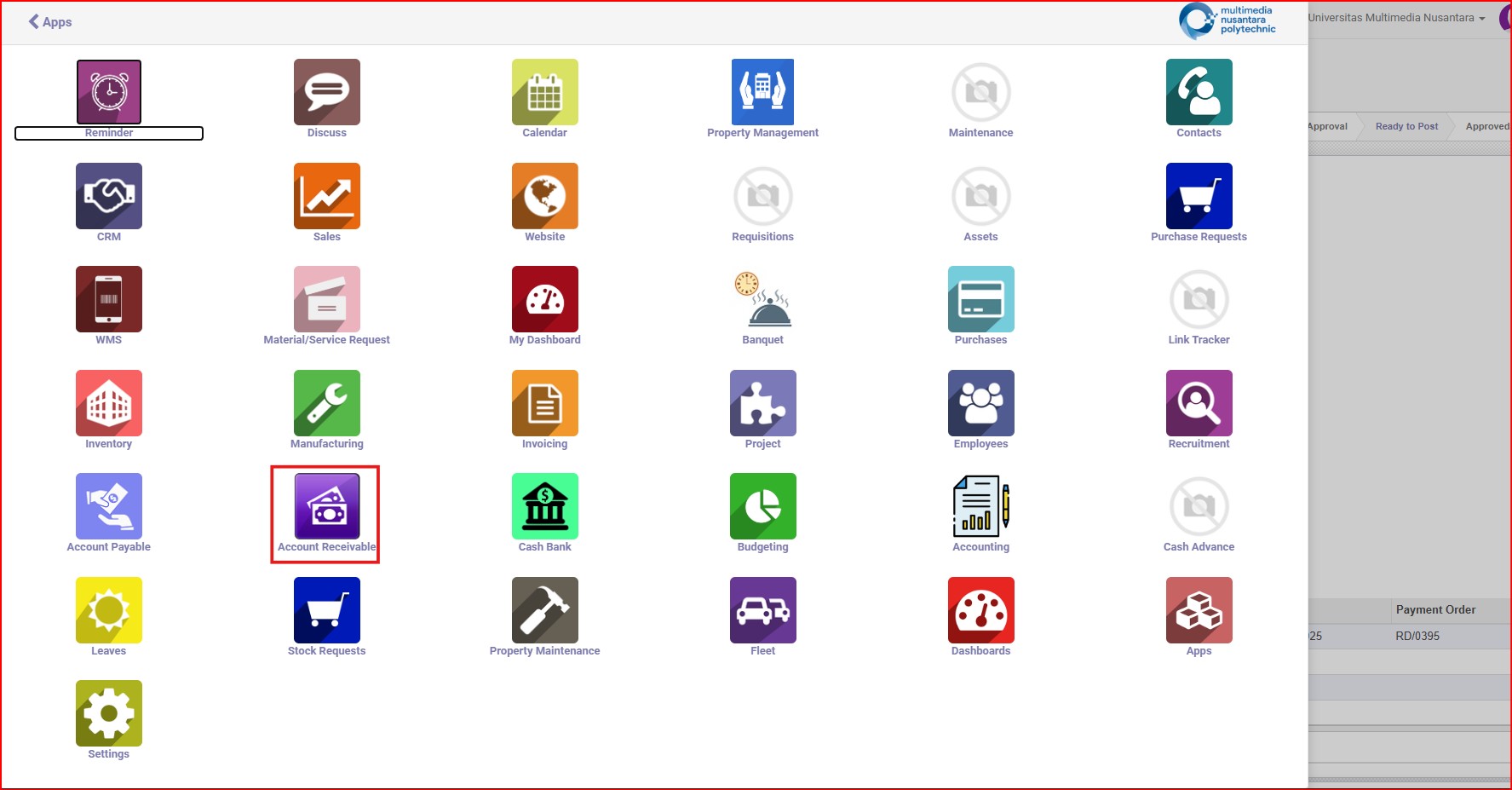
Gambar 1 Buka Menu Account Receivable
1. Menu > Account Receivable > Payment > Reverse DP Allocation
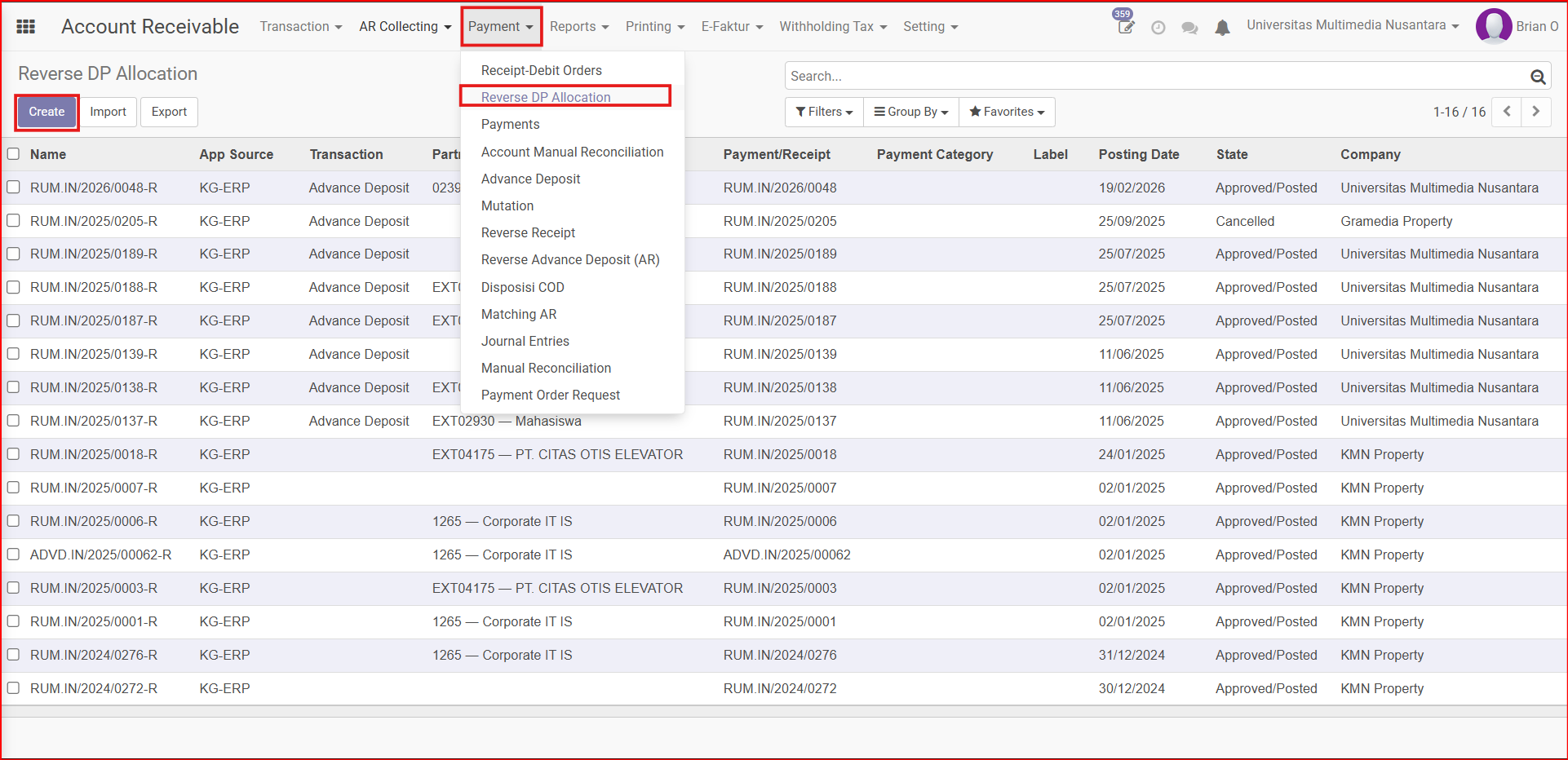
Gambar 1.1 Letak Menu Reverse DP Allocation
2. isi bagian header Reverse DP allocation
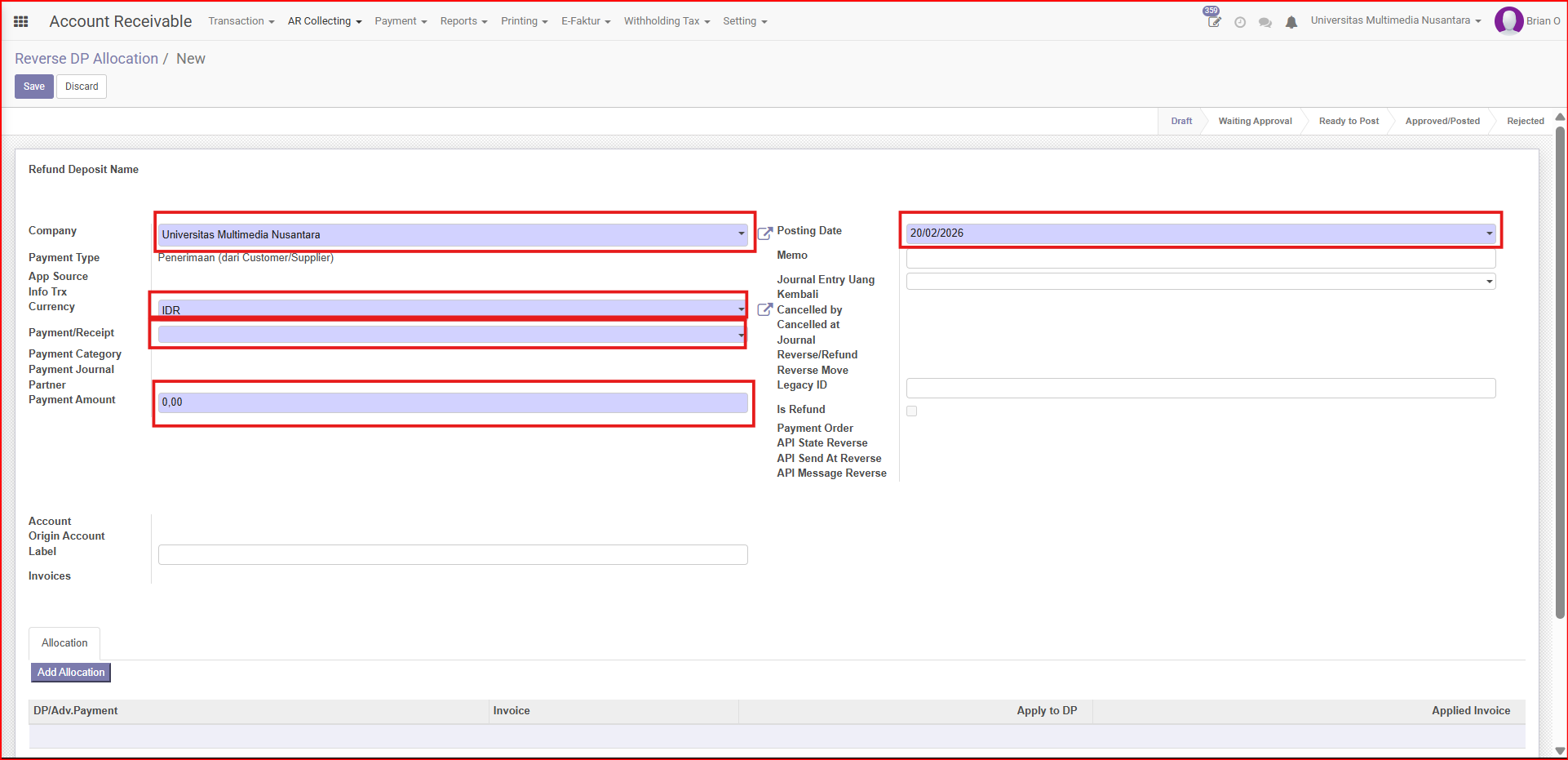
Gambar 1.2 Create Reverse DP Allocation
Penjelasan Fields di Header
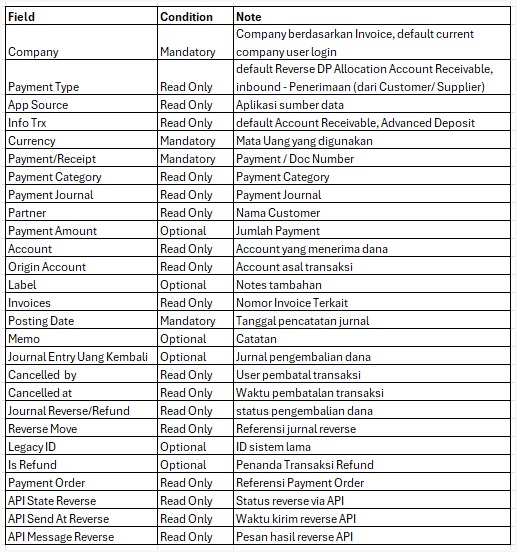
Gambar 1.2.1 Penjelasan Fields di Header Pembuatan Reverse DP Allocation
3. Input bagian Add Allocation Line.
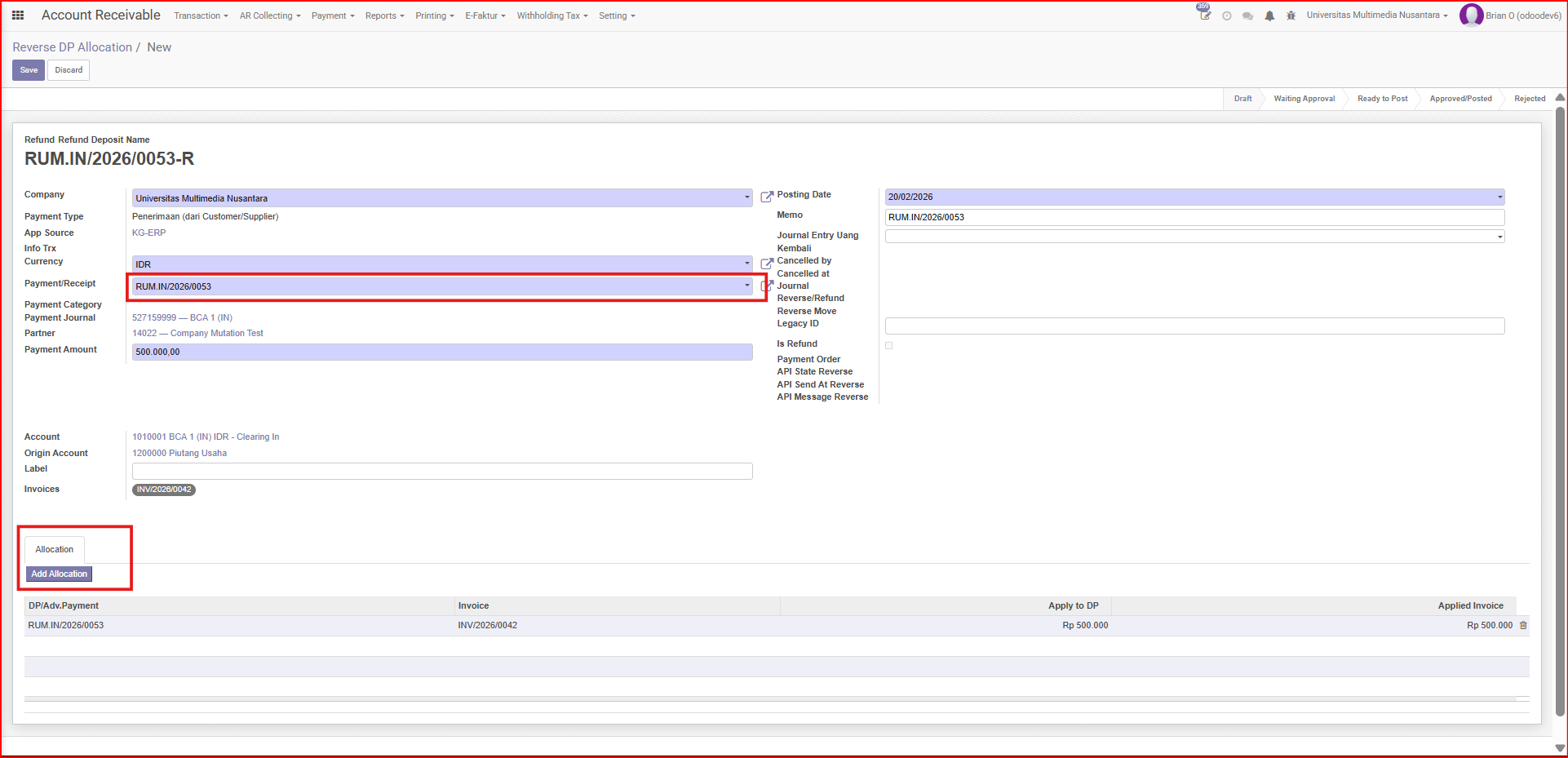
Gambar 1.3 Add Allocation
Catatan Tambahan
- Sebelum melakukan Add Allocation di Line, User harus mengisi Fields Payment/Receipt .
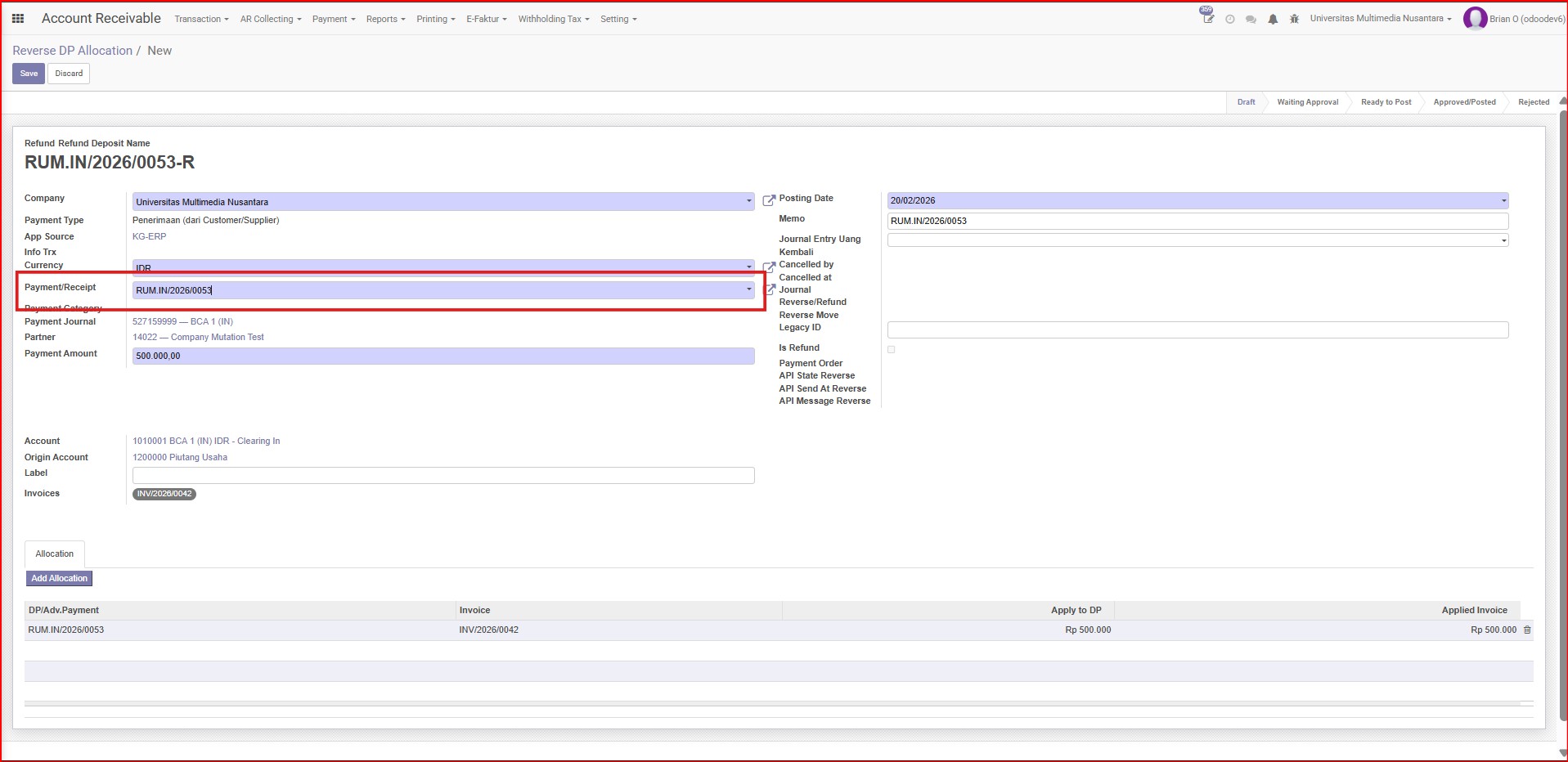
Gambar 1.3.1 Input Field Payment/Receipt sebelum Add Allocation.
- Setelah mengisi Field Payment/Receipt Payment akan muncul di Add Allocation.
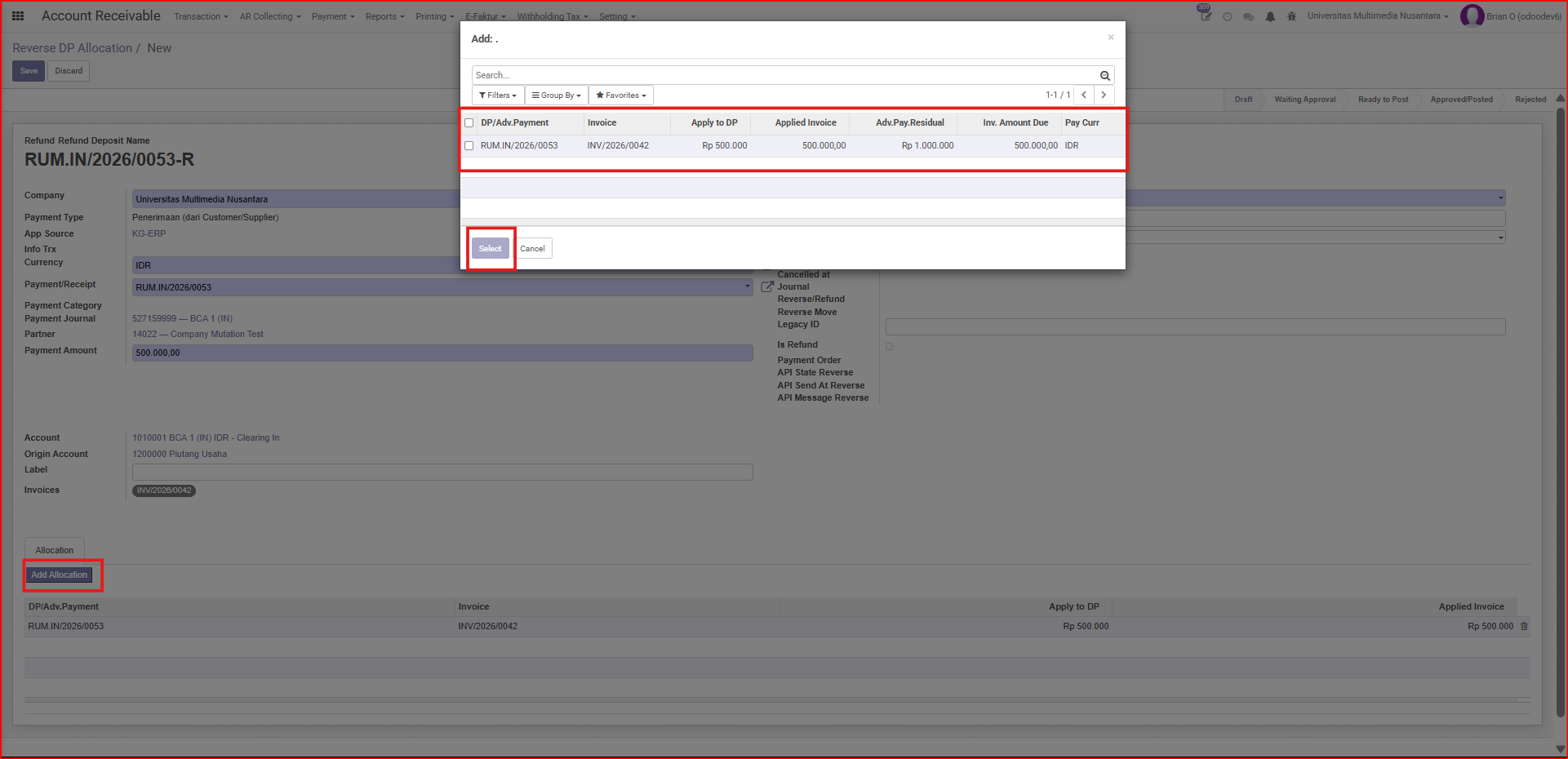
Gambar 1.3.2 Add Allocation.
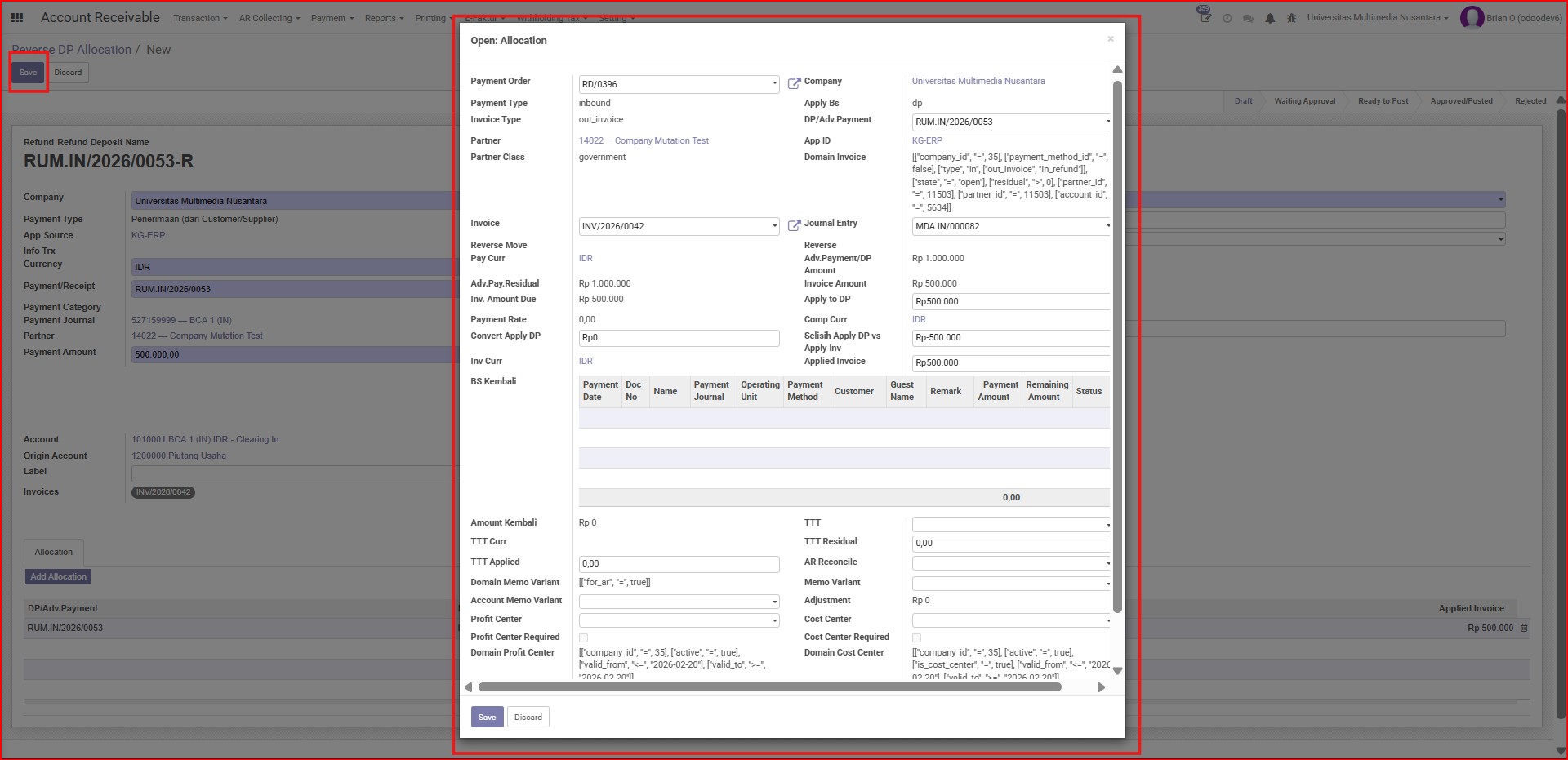
Gambar 1.4 Open Allocation
4. Open Allocation and Save.
Gambar 1.5 Open Allocation and Save
5. Request Validation.
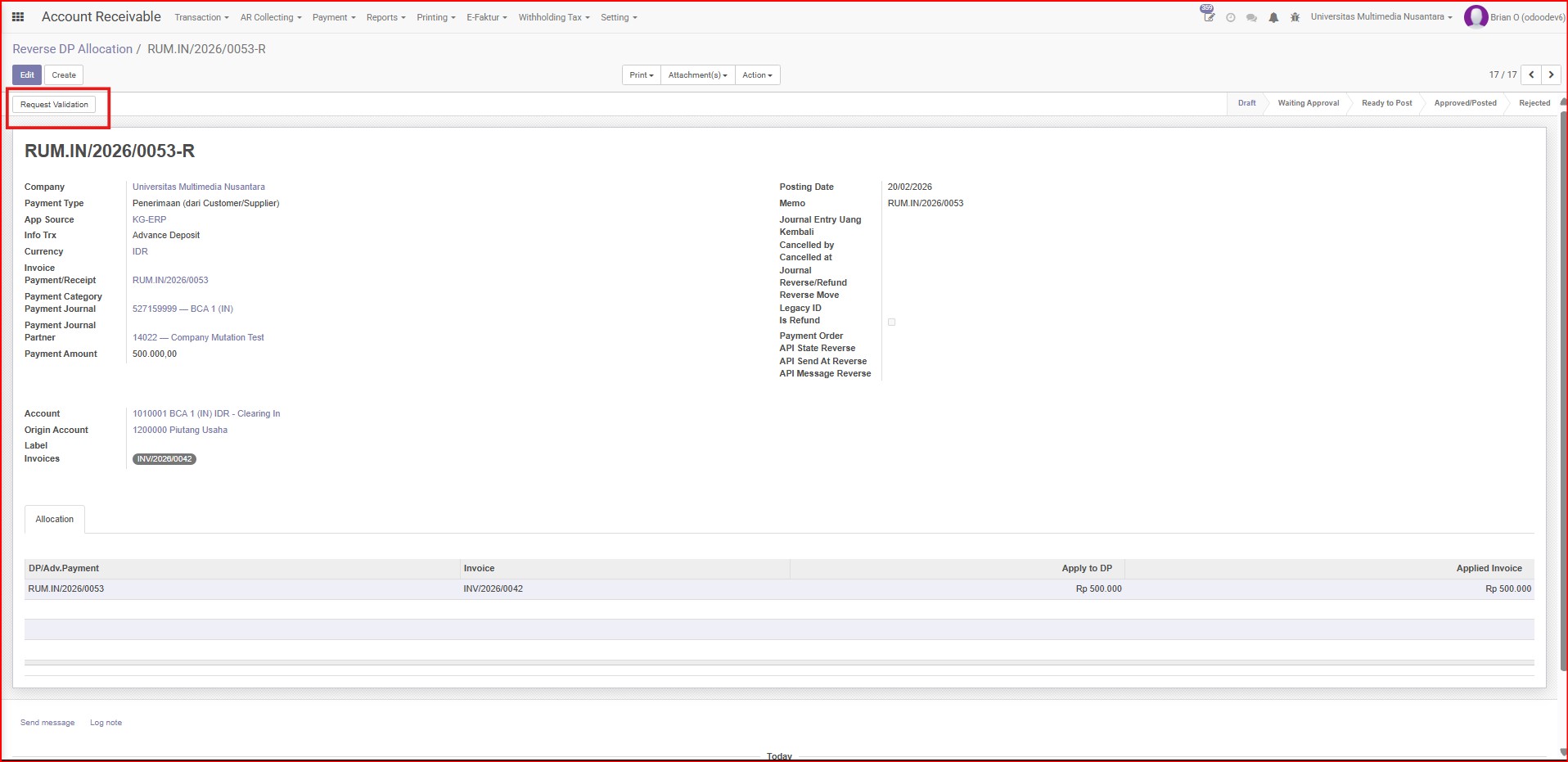
Gambar 1.6 Request Validation
6. Validate.
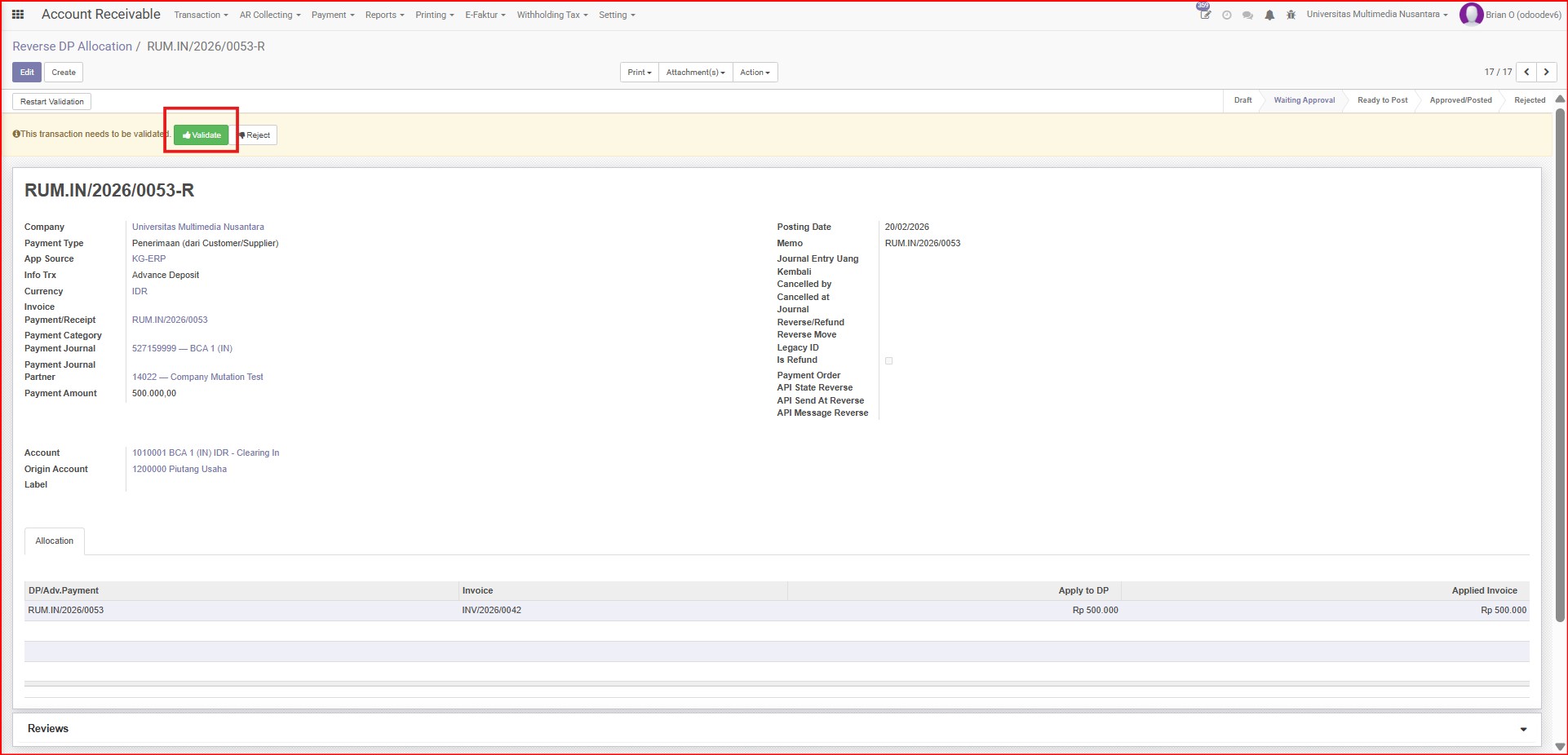
Gambar 1.7 Validate
7. Approve Reverse DP Allocation.
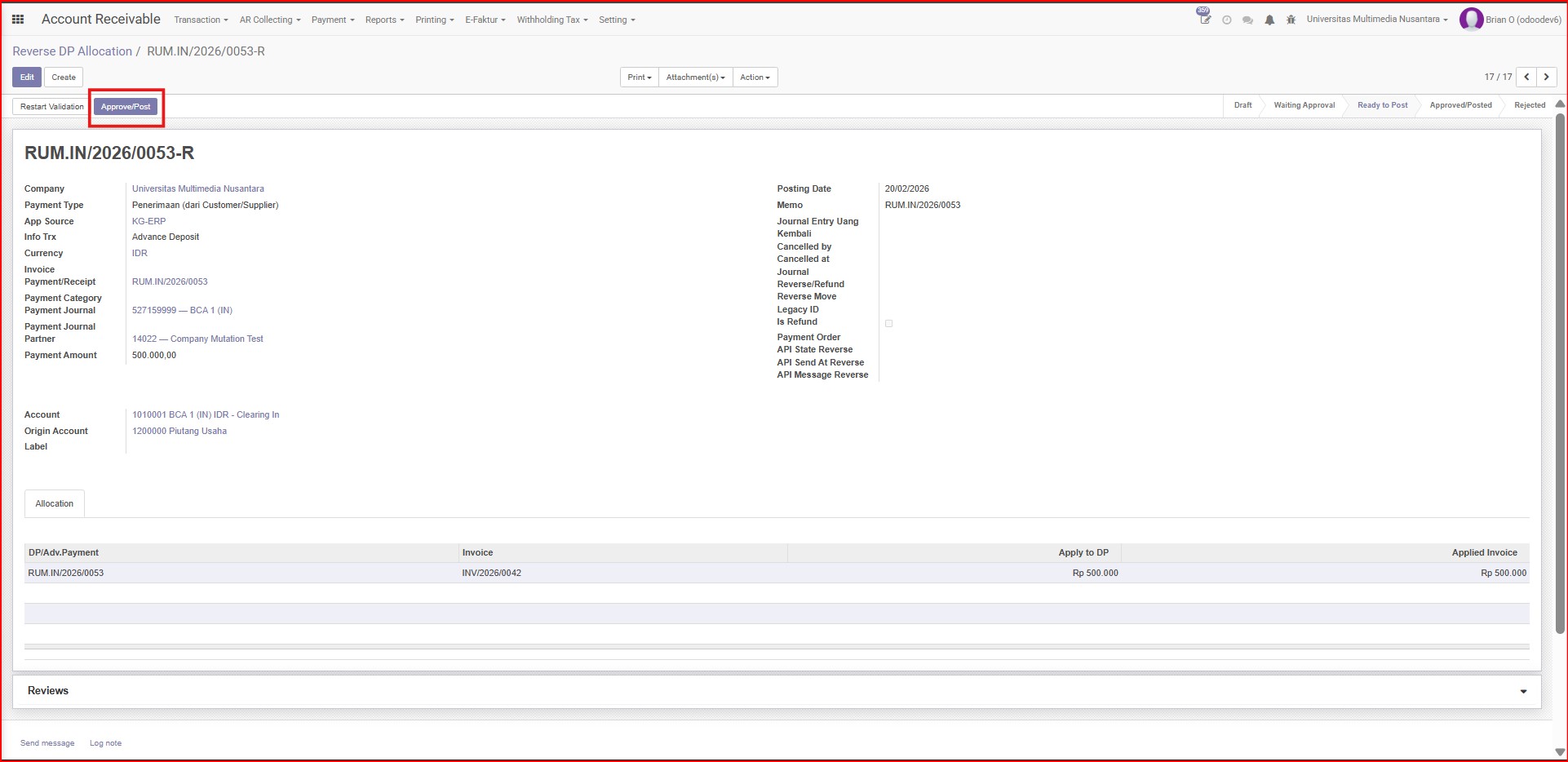
Gambar 1.8 Approve Reverse DP Allocation
8. Status jadi Approve & Posted.
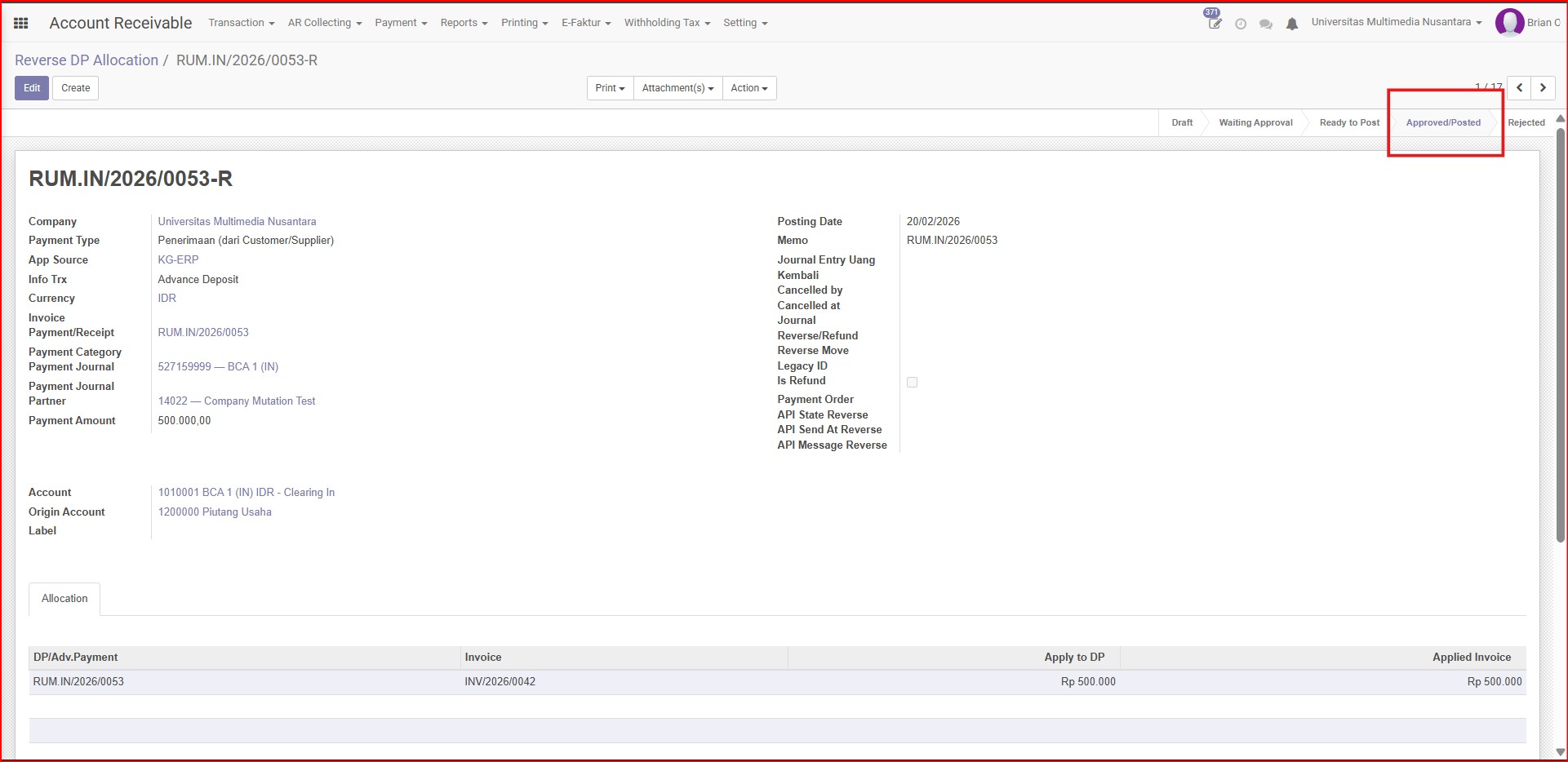
Gambar 1.9 Status menjadi Approve & Posted